Do Not Disturb Honor Roll: We Let 12 Gaming Apps Ping Us for a Week and Kept Score
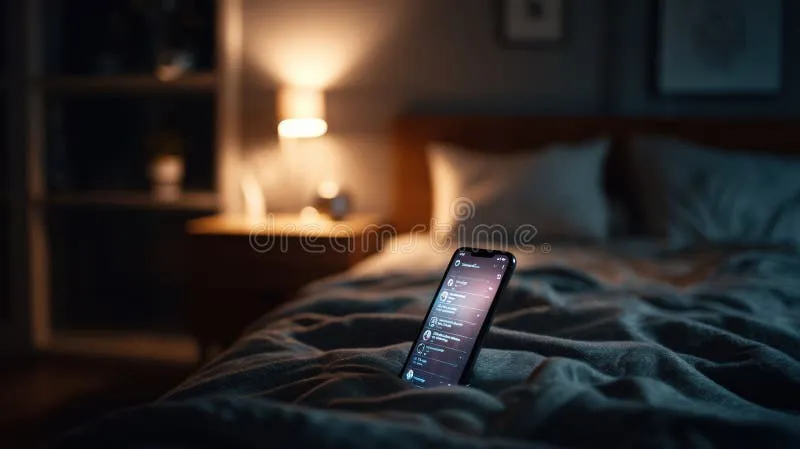
Photo: smartphone glowing notifications on nightstand at night dark bedroom, via thumbs.dreamstime.com
Somewhere around night three of this experiment, my phone buzzed on the nightstand at 2:47 a.m. with the message "Your FREE coins are waiting!" — and I realized I had made a terrible decision letting a dozen gaming apps into my notifications in the first place.
But that's the job. We at LHC App Hub enabled push notifications on 12 popular mobile gaming and social casino apps, synced them all to one phone, and logged every single ping for seven consecutive nights. The goal: figure out which apps treat your sleep schedule like it matters, and which ones think 4 a.m. is a perfectly reasonable time to remind you about a limited-time slot event.
Here's how the week shook out.
The Method (Such As It Was)
We kept it simple. One iPhone, notifications on for all 12 apps, standard alert settings — nothing muted, nothing customized. We logged timestamps and notification types in a spreadsheet from 10 p.m. to 7 a.m. each night, since that's the window where a ping actually costs you something.
A few ground rules:
- No special "quiet hours" settings. We wanted each app's default behavior, not its best behavior.
- We didn't open the apps at night. Notifications earned on their own, not prompted by us poking around.
- One account per app, fresh where possible.
Over seven nights, we logged 143 overnight notifications across the 12 apps. The spread was wild: the quietest app sent two overnight pings all week. The loudest sent 31.
The Honor Roll
Three apps earned a genuine tip of the cap. They sent overnight notifications rarely, and when they did, they were the useful kind — a daily bonus reset or a friend request, not manufactured urgency.
The best performer sent just two pings all week, both after 6:30 a.m. A couple of others stayed in the single digits and, crucially, never used phrases like "last chance" or "your streak is dying" between 10 p.m. and 6 a.m.
What the quiet apps had in common: they tied notifications to real events rather than timers. If nothing happened in your game, your phone stayed dark. Revolutionary concept, apparently.
The Repeat Offenders
Then there was the other end of the leaderboard.
The worst app averaged more than four overnight pings per night, with a nasty habit of clustering between midnight and 3 a.m. — exactly when a buzz on a nightstand is most likely to wake you. The content was almost universally FOMO bait: expiring coin offers, "players are winning right now!" social proof, and streak-saving warnings.
Two other apps landed in the double digits for the week. One of them sent a notification at 4:12 a.m. on a Tuesday reading, in full: "Don't miss out!" On what? We still don't know. We didn't ask.
There's an obvious business reason for the 2 a.m. spam — off-peak ad inventory is cheap, and a groggy tap on a push notification still counts as engagement. But knowing why it happens doesn't make it less obnoxious.
The Fix: Silencing the Worst Ones Without Going Full Airplane Mode
If one of your apps made the offender list, you don't have to delete it. Here's the two-minute setup we now run on every gaming app we test.
Step 1: Use iOS per-app notification settings. Go to Settings > Notifications, find the app, and toggle "Allow Notifications" off entirely — or better, turn off "Sounds" and "Badges" while leaving banners on. You'll see updates when you actually open the phone, but nothing buzzes at 3 a.m.
Step 2: Check the app's own notification center. Most social casino and gaming apps have in-app settings that let you keep, say, friend activity on while killing promotional blasts. The promo toggles are usually buried under "Marketing Preferences" or "Offers." Turn those off first — they're the source of most overnight noise.
Step 3: Unsubscribe from email while you're in there. Several of the apps we tested paired push spam with 3–4 promotional emails a day. There's almost always an "unsubscribe from offers" link at the bottom. Use it.
Step 4: Schedule a Focus mode as a backstop. iOS Sleep Focus and Android's Bedtime mode will mute everything except your chosen contacts between set hours. Even if a new app sneaks onto your phone with notifications pre-enabled, your sleep stays protected.
Step 5: Audit monthly. Apps love to re-enable notification permissions after updates. A once-a-month sweep through Settings > Notifications takes 90 seconds and keeps things honest.
What We'd Tell a Friend
The pattern here is bigger than one annoying app. The games that respected the quiet hours were, not coincidentally, the ones whose notifications were worth reading at any hour — real events, real updates, no countdown timers. The 4 a.m. spammers were the same apps built around daily-streak pressure and expiring coin drops.
So treat notification behavior as a signal. If an app can't go six hours without demanding your attention, it's telling you exactly what kind of relationship it wants. You're allowed to renegotiate the terms — and now you know which switches to flip.
We'll keep the spreadsheet running and update the Honor Roll as new apps hit our test phone. In the meantime, our nightstand is blissfully, wonderfully silent.